Automated tests reduce the fear of change when frequently checking important behavior. However, they can become a burden if they are fragile, slow, or tied to implementation details. The goal is not to have the largest number of tests, but a set that quickly reveals significant errors and clarifies the reason for failure.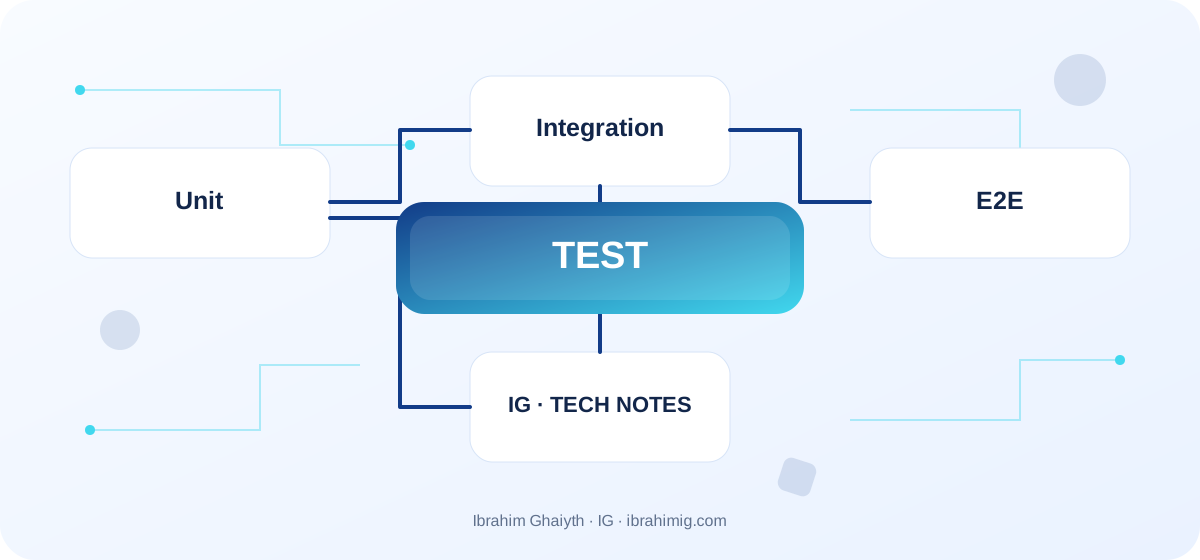
What you will take away from this article
- Testing small rules in an appropriate layer.
- Using integration when components interact.
- Testing critical user paths through the browser.
Unit Tests
A small unit such as a discount calculation function or state conversion is usually fast. Its benefit is to quickly identify the location of the error and cover edge cases. Test the result and the contracted behavior, not internal details that do not matter to the consumer. If every test needs many mocks, the component boundaries may not be clear or the function may be performing many responsibilities.
Integration Tests
They verify the interaction of parts such as a route with a test database or a service that uses an adapter. They capture errors that do not appear in mocks, such as actual SQL differences or forgotten transactions. Prepare test data in an isolated and repeatable manner, and clean up the state afterwards; do not rely on shared accounts or a real production service whose data changes over time.
E2E Browser Tests
They simulate a user's journey from the interface to the backend across system components, such as logging in and completing a request. However, they are slower and more sensitive to time and network; do not make them alone cover all functional details. Make them wait for a meaningful state instead of a fixed sleep, and use stable selectors such as role and label, and test visible results and important messages instead of internal CSS names that change constantly.
Coverage and Diagnosable Failure
The coverage ratio helps to reveal areas that may not have tests, but it does not measure the quality of assertions. Add a test that reproduces each important bug, and cover success, failure, and boundaries, especially in permissions and data. Use scenario names and useful messages and attachments when the browser fails, and monitor the suite time and intermittent failure. Do not handle flakiness by restarting indefinitely; look for the source of non-determinism.
Testing Search using Playwright
import { test, expect } from "@playwright/test";

test("user can search articles", async ({ page }) => {
  await page.goto("/");
  await page.getByRole("searchbox").fill("PostgreSQL");
  await expect(
    page.getByRole("link", { name: /postgresql/i }).first()
  ).toBeVisible();
});
Test the Behavior that Matters to the User
Useful testing starts with a clear question: what behavior should continue to be correct when the code changes? Unit testing for a total calculation function may be fast and specific, and integration testing proves that the repository and database interact correctly, and browser testing proves that the user can search and complete the task through the interface. Each layer has a different level of speed, confidence, and cost.
Do not test internal details only, or tests may fail when restructuring does not change behavior. At the same time, do not put all cases in slow browser tests. Distributing tests across multiple levels makes failure a more accurate diagnosis and reduces the team's feedback time.
Detailed Case Study: From Symptom to Root Cause
The practical case here is: a browser test succeeds alone but fails inside CI due to shared data or waiting time. It is not enough to fix the apparent symptom; we need to draw the data path or request from its beginning to the result, and know where the difference arose. Start by recording what happened, what is expected to happen, and the step that can be proven by measurement or log or test. Then change one clear factor and redo the same scenario to verify that the root cause is addressed. If several components change at once, it will be difficult to know which one made the difference.
Link the case result to the article's principle: unit tests and integration tests. These two concepts determine what should be checked first and what can be postponed. Also, record the cases that were not tested, so that the success of one scenario does not turn into a claim that the entire system is problem-free.
Make Tests Repeatable
A test that depends on real-time or an unstable external service or an uncertain order may fail without the product changing. Use fixtures and clear test data, and isolate dependencies when this isolation does not hide the behavior being tested. If the test needs a system hour or a random source, make these dependencies adjustable within the test.
Do not share a global state between tests in a way that causes dependence on the order of their execution. Clean up data after each test or use a temporary isolated database. When testing in parallel, give each agent a separate data set or space when needed, and avoid using a single modifiable account from concurrent tests.
From Example to Implementation in a Real Project
Start from the code example shown in the article: "Testing search using Playwright". Do not move it literally to production before defining its inputs, outputs, and assumptions. Ask what happens when a value is missing, or unexpected data arrives, or the request is repeated, or an external dependency is delayed. Then implement a small version inside an independent branch and add a test for the basic case and another for a failure case.
Use these steps as a starting point: start with important behavior or a recurring bug. Then choose the test layer according to the location of the rule. Then make the data and environment repeatable. Make each step reviewable, and do not combine real project settings and secrets with a tutorial example. If your environment differs from the example, document the difference and modify the implementation based on official documentation rather than copying the solution without understanding.
Read Test Failure as a Signal
When a test fails, keep the message and context and browser screenshot or trace when appropriate. In Playwright tests, use semantic locators like role and visible name as much as possible instead of fragile selectors related to the internal DOM structure. Wait for a specific condition instead of adding a fixed sleep, because delay may fail on a slower machine and slow down all runs.
Distinguish between product failure, test failure, and environment failure. Do not add retry to everything until it hides intermittent failure; log the rate of flaky tests and fix the cause. If the test depends on a real network, determine what it tests and why it cannot be isolated without losing test value.
Systematic Diagnosis Approach upon Failure
When the solution does not work, do not start by adding another condition before identifying the failure evidence. Record the input, the expected result, the actual result, and the message or measurement that supports the conclusion. One of the common mistakes in this topic is testing internal details instead of general behavior. Treat this point as a hypothesis to be examined, not as a preconceived diagnosis; the problem cause may be in a neighboring layer or in an incorrect assumption in the test.
Divide the system into clear boundaries: inputs, processing, external dependency, and result. Test each boundary separately as much as possible, then implement an integrated scenario. If you fix the problem, add a test that prevents it from returning or an operational note that helps to detect it early. The goal is for diagnosis to become repeatable by another team member, not to remain linked to the memory of the person who discovered the fault.
Coverage is Not an Independent Goal
A high coverage ratio may come from implementing lines without checking important results. Use coverage to identify parts that tests do not reach, then choose cases according to the severity of failure and expected code change. Focus on permission conditions, edge cases, error paths, and processes that cause financial impact or data loss.
Make tests part of CI with proper division between fast and slow. Smoke tests after deployment can verify the main path without repeating the entire set, but do not use the production environment for destructive tests. Keep test data and secrets separate from customer data.
Advanced Considerations before Adopting the Solution
Before adopting the solution, consider the trade-offs between different test layers and the potential impact on your development workflow. Evaluate the costs and benefits of implementing automated tests, including the time and resources required to create and maintain them. Consider the potential risks and challenges associated with automated testing, such as test fragility and maintenance overhead. By carefully evaluating these factors, you can make an informed decision about how to implement automated testing in your project and ensure that it aligns with your development goals and objectives.
In a real project, a solution is not evaluated on the success of the happy case alone. Review behavior under load, failure cases, future changes, and relevant security boundaries. It is important here to make tests repeatable and isolated, preserve failure evidence, and not replace diagnosis with repeated retrying. Do not treat these points as a later addendum; a design decision may be hard to change when data accumulates or multiple clients depend on it.
Define acceptance metrics or tests before merging, and clearly document the solution's boundaries. A solution might be suitable for a small site but need a queue, cache, or stricter architecture as usage grows. Do not add premature complexity without evidence, but do not ignore a clear sign that requirements exceed the simple version. A good decision balances current simplicity with the expected cost of change and maintains system clarity for the team.
Plan for Building Gradual Trust
Start with the most critical or frequent behaviors, and add a test when fixing a bug so it does not recur. Measure test time, intermittent failure rate, and the time required to understand the cause of an error, not just coverage. Raise the level of testing at component boundary points, such as APIs, databases, or browser and server.
A new developer should be able to run tests from a short guide without undocumented secret settings. If tests are not easy to run, they will likely be neglected or have varying results between developers and CI, which reduces their usefulness even if they are well-written.
Practical Application and Acceptance Criteria
Try this exercise on a trial project or separate branch: run tests with different arrangements and remove a fixed time wait in favor of a verifiable condition. Write the expected outcome before implementation, record what actually happened, and then fix the difference if it appears. Also, try a boundary case or a safe intentional failure. Do not use real data or a production system to cause a test failure.
Consider the task complete when retry steps are documented, the test proves basic behavior and failure case, there are no secrets or sensitive information in the log, and another developer can understand the reason for the solution. If this is not achieved, what is required is not to add more code directly; rephrase the problem and clarify the incorrect assumption. This approach makes the article a starting point for a technical practice, not just a theoretical reading.
Frequently Asked Questions About Automated Tests
Is E2E better than unit tests? It is not a replacement; E2E tests a complete journey but is more expensive and harder to diagnose.
Should I use sleep to fix an unstable test? Generally, no; wait for a clear condition and look for the timing reason.
Does 100% coverage guarantee quality? No; coverage alone does not measure the strength of assertions or the importance of the tested cases.
Practical Implementation Plan
- Start with important behavior or a recurring bug.
- Choose the test layer according to the base location.
- Make data and environment repeatable.
- Write assertions that verify the outcome.
- Monitor time and intermittent failure.
Common Mistakes to Watch Out For
- Testing internal details instead of general behavior.
- Depending on a fixed sleep in E2E.
- Considering coverage percentage as proof of quality.
Conclusion
An effective set that combines the speed of unit tests, the realism of integration, and the trust of defined E2E paths. Choose the layer according to risk, make failure understandable, and use every bug as an opportunity to prevent regression.