As the dependence on manual steps such as installing dependencies, running tests, and then uploading files increases, the chance of forgetting a step or publishing a version that differs from what was tested also increases. CI/CD transforms these steps into a documented and repeatable path, while keeping publishing and rollback permissions under clear control.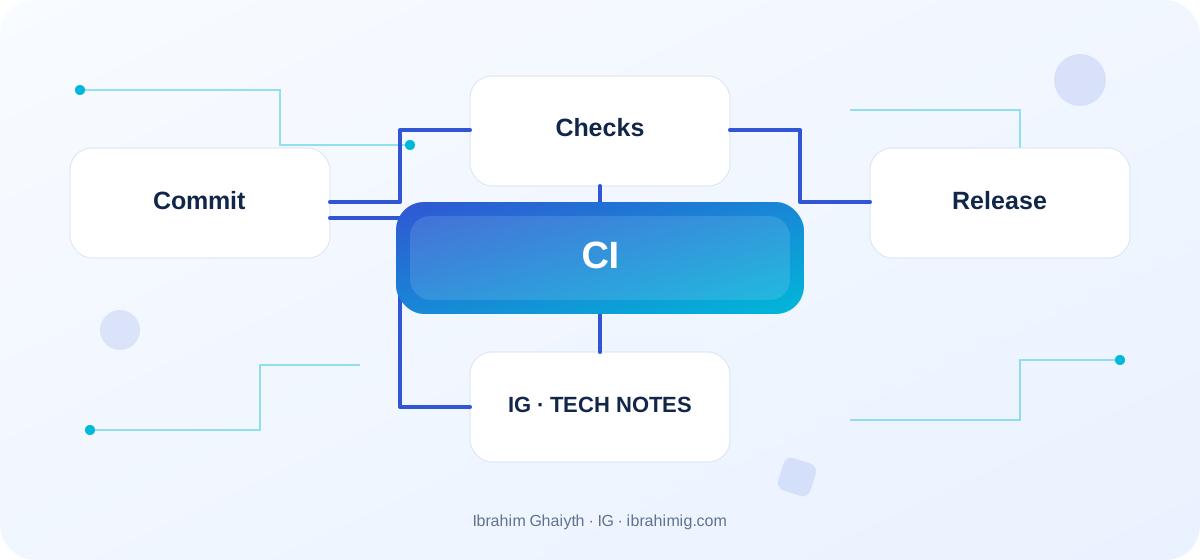
What you will get out of this article
- Running recurring tests on repository changes.
- Separating build from production deployment and sensitive permissions.
- Versioning and providing a rollback path.
Differentiate between CI and CD
Continuous Integration (CI) continuously integrates changes with automated checks that reveal errors early. Continuous Delivery refers to keeping the software in a deployable state, while Continuous Deployment usually means automatically deploying changes that meet the conditions to production. Terminology may vary between organizations; what matters is that you document the meaning of each stage in your project. Start with checks and build, then add deployment gradually.
Design a clear pipeline
Separate checkout, environment setup, dependency installation, checks, artifact production, and deployment. The build should be able to produce a repeatable result from a clean version. Use cache to speed up dependencies when appropriate, but do not make the success of a step dependent on old cache. Define what prevents merging and what prevents deployment, and review the execution duration and false failures so that the team does not learn to ignore warnings.
Protect secrets and permissions
A workflow may be able to read access codes or modify a repository or publish files. Grant each task the least necessary permissions, and do not print secrets in logs or run untrusted contributor code in a context that holds production secrets. Separate testing from deployment, and review external actions and their version installations according to the project policy. An external PR should not automatically obtain sensitive publishing secrets.
Monitor deployment and plan for rollback
Link each artifact to a commit identifier and record what was published, when, and where. Add a health check after deployment and monitor errors. A green deployment does not guarantee the safety of the user experience or database connection. Plan for rollback before needing it, and note that rolling back application files does not automatically reverse changes in migrations or data. Document environment requirements and publishing permissions so that another authorized member can diagnose a failure.
Example workflow for Node.js tests
name: verify
on:
  pull_request:
  push:
    branches: [main]
jobs:
  test:
    runs-on: ubuntu-latest
    permissions:
      contents: read
    steps:
      - uses: actions/checkout@v4
      - uses: actions/setup-node@v4
        with:
          node-version: 22
          cache: npm
      - run: npm ci
      - run: npm test --if-present
      - run: npm run build --if-present
Divide the pipeline into clear gates
A good CI/CD pipeline makes the test result interpretable: dependency installation, formatting and type checks, running tests, building artifacts, and then deploying within separate permissions. Upon failure, the developer should know which stage failed and what the associated log is, rather than a general message like "build failed."
Separate test success from deployment permission. Any branch may be allowed to request CI, but production deployment should depend on the branch, approved policies, and secret protection. Store the tested output and use it in the deployment stage when it fits the project structure, to reduce the chances that the published version is different from the tested version.
Detailed case study: from symptom to root cause
The practical case here is: an application passes tests and build but fails after deployment due to an unprepared environment or database migration. It's not enough to fix the apparent symptom; we need to draw the data or request path from its beginning to the outcome and identify where the difference arose. Start by recording what happened, what was expected to happen, and the step that can be proven by measurement, log, or test. Then change one clear factor and redo the scenario to verify that the root cause is addressed. If several components changed at once, it will be difficult to know which one made the difference.
Link the case outcome to the article's principle: differentiate between CI and CD and design a clear pipeline. These two concepts define what should be checked first and what can be postponed. Also, record untested cases so that the success of one scenario does not turn into a claim that the entire system is problem-free.
Reproducibility and least privilege
The CI environment should be reproducible as much as possible: use a dependency lock file, clear tool versions, and defined inputs. Avoid depending on files or variables that exist on a personal machine and do not exist on the server. If the build differs between local and CI, document and characterize the difference rather than disabling the check until it "passes."
Use the least necessary privilege for the workflow, install external actions with trusted versions or identifiers according to the project policy, and do not expose secrets in runtime outputs. The deployment path needs appropriate approval or protection according to the system's criticality; automated success in building the application does not prove that every deployment should reach production without review.
From example to implementation in a real project
Start from the code example presented in the article: "Example workflow for Node.js tests." Do not transfer it literally to production before defining its inputs, outputs, and assumptions. Ask what happens when a value is missing, or unexpected data is received, or a request is repeated, or an external dependency is delayed. Then implement a small version inside an independent branch and add a test for the basic case and another for a failure case.
Use these steps as a beginning: define success and failure conditions. Then start with checks that work from a clean version. Then minimize workflow permissions and secrets. Make each step reviewable, and do not combine real project settings and secrets inside an educational example. If your environment differs from the example, document the difference and adjust the implementation based on official documentation rather than copying a solution without understanding.
Treat failure as a diagnostic guide
If the test succeeds locally but fails in CI, check the Node version, database, time zone, random test order, and unstalled dependencies from the lock file. Do not add a time delay or re-run the task repeatedly to hide an unclear problem.
When deployment fails after a successful build, check environment settings, permissions, secrets, and the target service state. Make pipeline stages safely re-executable; re-attempting to upload an artifact differs from re-executing a non-repeatable data process. Record the version or commit that passed the checks and record the version that was actually published.
Systematic diagnosis approach upon failure
When the solution does not work, do not start by adding another condition before identifying the failure evidence. Record the input, expected outcome, actual outcome, and message or measurement that supports the conclusion. One of the common mistakes in this topic is wide write permissions for every workflow. Treat this point as a hypothesis for testing, not as a preconceived diagnosis; the problem cause might be in an adjacent layer or in an incorrect assumption in the test.
Divide the system into clear boundaries: inputs, processing, external dependency, and outcome. Test each boundary separately as much as possible, then implement an integrated scenario. If you fix the problem, add a test that prevents its return or an operational note that helps in its early detection. The goal is for diagnosis to become repeatable by another team member, not to remain tied to the memory of the person who discovered the fault.
Secure deployment and rollback
A critical service needs a tested rollback plan, not just the phrase "we will revert to the previous version." Define whether rollback means re-deploying the application version, or also requires handling database migrations and changing settings. Changes that destroy backward compatibility usually require staged steps that allow both versions to work during the transition period.
Changes can be deployed to a limited percentage or a test environment before expansion when the architecture supports it. Monitor health indicators after deployment and ensure that the alert goes to someone capable of acting. Maintain the separation of environment secrets, and do not grant every build unlimited write permission to production.
Advanced considerations before adopting the solution
Before adopting the solution, consider the following advanced factors to ensure a smooth and reliable CI/CD pipeline.
In a real project, the solution is not evaluated on the success of the happy case alone. Review the behavior under load, failure cases, future changes, and relevant security boundaries. It is important here to protect publishing secrets and permissions, verify the published version and rollback plan, and data migrations. Do not treat these points as a later addendum; the design decision may be difficult to change when data accumulates or multiple clients depend on it.
Define metrics or acceptance tests before merging, and clearly document the solution's boundaries. The solution may be suitable for a small site but may need a queue or cache or a more rigid structure as usage grows. Do not add unnecessary complexity without evidence, but do not ignore a clear indication that the requirements exceed the simple version. A good decision balances current simplicity with the expected cost of change and maintains system clarity for the team.
CI/CD Pipeline Success Criteria
Do not measure the pipeline's success by speed alone. Evaluate the reliability of checks, the rate of false failures, the duration of recovery of a disabled service, and the team's ability to identify the published version. If tests are slow, measure which stage consumes time before parallelizing everything; parallelization increases cost and complexity and may create conflicts between tests.
When adding a new step, clarify the risk it prevents and the decision the team will make if it fails. Each gate must provide clear value. Review pipeline secrets and permissions regularly, especially when new actions, repositories, or publishing environments are added.
Practical Application and Acceptance Criteria
Try this exercise on a test project or a separate branch: make the CI check fail intentionally in a test environment, and verify that publishing stops and rollback is documented. Write the expected outcome before implementation, record what actually happened, and then fix the difference if it appears. Also, try a boundary case or a safe intentional failure. Do not use real data or a production system to cause a test failure.
Consider the task complete when the retry steps are documented, the test proves basic behavior and failure case, there are no secrets or sensitive information in the log, and another developer can understand the reason for the solution. If this is not achieved, what is required is not to add more code directly; rephrase the problem and clarify the incorrect assumption. This approach makes the article a starting point for technical practice, not just theoretical reading.
Frequently Asked Questions about CI/CD
Should every commit be published automatically? It depends on the product policy and risks; CI may end at verification and publishing may require approval.
Is retry a suitable solution? Only for known temporary failure, not for code errors or setup.
What is the most important protection? Reducing permissions, managing secrets, version traceability, and a tested rollback plan.
Practical Implementation Plan
- Define success and failure conditions.
- Start with checks that work from a clean version.
- Minimize workflow permissions and secrets.
- Add a health check after publishing.
- Document the version and rollback plan.
Common Mistakes to Watch Out For
- Wide write permissions for every workflow.
- Production publishing from an untrusted PR.
- Not linking the artifact to the commit that produced it.
Conclusion
CI/CD reduces manual steps and increases reproducibility but does not eliminate the team's responsibility. Start with reliable checks, minimize permissions, record what was published, and make rollback part of the design.