A project may work on a developer's computer but fail on a server due to differences in Node.js versions, libraries, or system settings. Containers help describe a reproducible runtime environment, but they do not automatically fix every deployment issue, nor do they make an image secure simply by building it.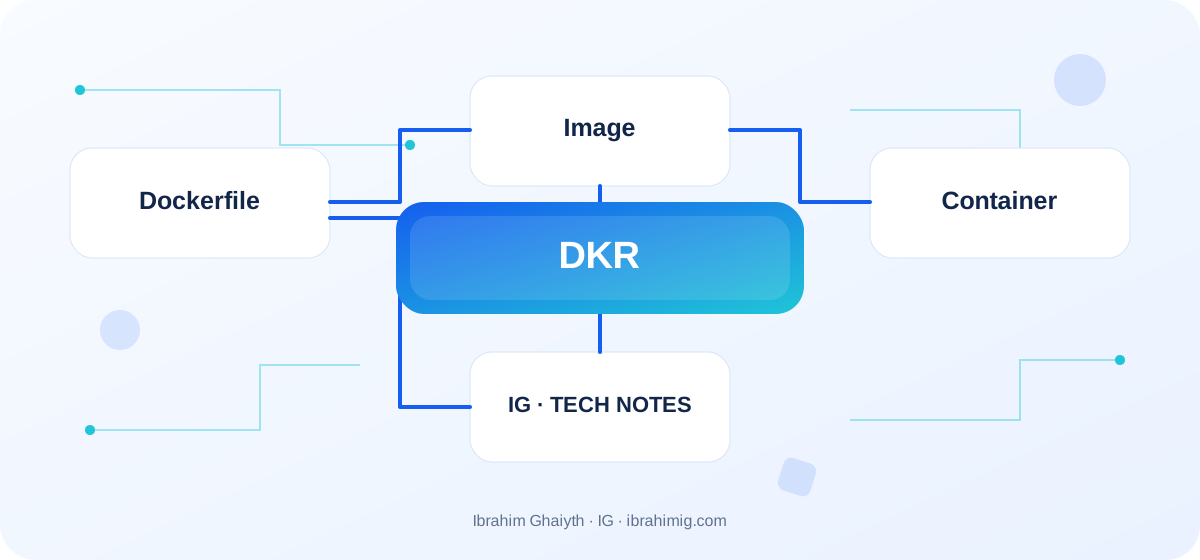
What you will take away from this article
- Distinguish between image and container.
- Build small, versioned images.
- Manage settings and secrets outside the image.
Image, Container, and Dockerfile
The image is a template that includes the application and runtime files; the container is an instance that runs from the image. The Dockerfile describes the build steps, and the build produces reusable layers. Modifying a file inside a container does not necessarily mean modifying the original image. Keep the Dockerfile simple and understandable, separate build tools from the runtime environment when beneficial, and do not add development tools and temporary files to the production image without a need.
Build a reproducible image
Start with a reliable base image and a specific version that suits the project, and install dependencies according to a lockfile using a command like npm ci. Add a .dockerignore file to prevent sending node_modules, Git files, secrets, and unnecessary build files to the build context. Use multi-stage builds if you need build tools that the final image does not need, and run the application with a non-root user whenever possible.
Secrets, Network, and Data
Do not include passwords or API keys in the Dockerfile or image. Pass settings through environment variables or a suitable secret mechanism, and put stateful data in storage that suits the expected lifetime of the container. Review published ports, shared volumes, Linux permissions, and access to the Docker daemon; containers are not a magical security boundary, and a database should not be exposed to the open internet without suitable network controls.
Test the runtime cycle and update
Test starting and stopping the container, logs, health checks, and connection to other services. The order of starting containers does not guarantee database readiness by itself; use health checks and limited retries. Tag a version related to a known version or commit, and do not rely solely on latest to know what works in production. Document the build, update, and rollback method, and keep a backup and recovery plan for data that must not be lost.
Simplified Dockerfile for a Node.js application
FROM node:22-alpine AS deps
WORKDIR /app
COPY package*.json ./
RUN npm ci --omit=dev

FROM node:22-alpine AS runtime
ENV NODE_ENV=production
WORKDIR /app
COPY --from=deps /app/node_modules ./node_modules
COPY . .
USER node
EXPOSE 3000
CMD ["node", "server.js"]
Understand what goes into the image
Dockerfile is read as a description of building an image, not a list of commands to be executed on the developer's machine only. Each layer represents the result of a build step, and the way COPY and dependency files are arranged can affect cache reuse. If you copy all project files before installing packages, modifying a line in a regular file may unnecessarily reinstall all packages.
Separating the dependency installation stage from the runtime stage helps build a smaller image, but the final image must contain only what the application needs at runtime. Ensure that copy paths and the lockfile are correct, and that the final command starts the server as expected, and that the application process does not need development files that you removed.
Detailed case study: from symptom to root cause
The practical case here is: an application that works on the developer's machine but fails inside the container due to a missing dependency or environment variable in the runtime image. It is not enough to fix the apparent symptom; we must trace the data path or request from its beginning to the outcome, and find out where the difference originated. Start by recording what happened, what was expected to happen, and the step that can be proven by measurement, log, or test. Then change one clear factor, and redo the same scenario to verify that the root cause was addressed. If several components changed at once, it will be difficult to know which one made the difference.
Link the case outcome to the article's principle: Image and Container and Dockerfile and build a reproducible image. These two concepts define what should be checked first and what can be postponed. Also, record the cases that were not tested, so that the success of one scenario does not turn into a claim that the entire system is problem-free.
Dealing with data and secrets
A container is not a suitable place to store permanent data inside its replaceable layer; when the container is deleted, local changes may be lost. Use volumes or a suitable storage service for data that must survive after restart. Similarly, do not put passwords and API keys inside the Dockerfile or published image, because layers may retain them even if you delete them from the last layer.
Pass settings and secrets at runtime through a suitable secret management mechanism for the environment, and minimize permissions inside the container. Using a non-root user, a trusted base image with a specific version, and updating images periodically reduces the attack surface. These measures do not replace protecting the server, host, and operation network.
From example to implementation in a real project
Start from the code example presented in the article: "Simplified Dockerfile for a Node.js application". Do not transfer it literally to production before determining its inputs, outputs, and assumptions. Ask what happens when a value is missing, or unexpected data is received, or a request is repeated, or an external dependency is delayed. Then implement a small version inside a separate branch and add a test for the basic case and another for a failure case.
Use these steps as a starting point: identify the necessary runtime files and dependencies. Then write a Dockerfile and .dockerignore. Then build an image with a known version and check its size. Make each step reviewable, and do not combine real project settings and secrets inside an educational example. If your environment differs from the example, document the difference and modify the implementation based on official documentation rather than copying a solution without understanding.
Diagnosing common runtime failures
If the container exits immediately after starting, check the log of the first process and the exit code; Docker does not keep the container alive just because the image was built successfully. If it is difficult to connect to the database, check the service name, network, port, and connection data, and do not assume that localhost inside the container means the host machine.
If the application cannot find a file, compare the WORKDIR path with what was copied to the image, and check if necessary build files or dependencies were deleted in the final stage. Rebuild the image with sufficient output details in development, then reduce sensitive logs in production. Check the size and contents of the image instead of adding random tools to it.
Systematic diagnosis approach when failing
When a solution does not work, do not start by adding another condition before identifying the failure indicator. Record the input, the expected outcome, the actual outcome, and the message or measurement that supports the conclusion. One of the common mistakes in this topic is copying .env or .git inside the image. Treat this point as a hypothesis to be tested, not as a preconceived diagnosis; the cause of the problem may be in a neighboring layer or in an incorrect assumption during testing.
Divide the system into clear boundaries: inputs, processing, external dependencies, and outcome. Test each boundary separately as much as possible, then implement an integrated scenario. If you fix the issue, add a test that prevents its return or an operational note that helps detect it early. The goal is to make diagnosis reproducible by another team member, not to keep it linked to the memory of the person who discovered the fault.
Health and update metrics
Using containers does not mean that the service has become highly available automatically. Define a suitable check for liveness and readiness, and separate between a process that started and an application that is actually capable of receiving requests. The application needs time to close ongoing connections when stopping, so handle termination and orderly shutdown signals when possible.
Fix versions and images as much as possible, and rebuild images periodically to get security updates. Do not rely solely on a moving tag like latest for expected rebuilds. Keep a record that explains the published image version, a rollback plan to a known version, and test the upgrade on an environment similar to production before changing a service used by customers.
Advanced Considerations Before Adopting a Solution
In a real project, a solution is not evaluated solely on the success of the happy case. Review behavior under load, failure cases, future changes, and relevant security boundaries. It is important here to separate operational secrets from the image, use a limited-privilege user, and ensure data remains outside the container's lifecycle. Do not treat these points as a later addendum; design decisions can be difficult to change when data accumulates or multiple clients depend on it.
Define metrics or acceptance tests before merging, and clearly document the solution's boundaries. A solution might be suitable for a small site but require a queue, cache, or stricter architecture as usage grows. Do not add premature complexity without evidence, but do not ignore a clear indication that requirements exceed the simple version. A good decision balances current simplicity with the expected cost of change and maintains system clarity for the team.
Docker Image Readiness Criteria
Before adopting an image, ensure the application works with a limited-privilege user, does not carry test files or development data or secrets, has an acceptable size, and settings come from the environment. Try starting, stopping, and recreating the container, and ensure only required data remains in a persistent place.
Compare the build result on two machines or within CI to ensure dependencies are installed from the lockfile and steps do not require a hidden state from the developer's machine. A good image is not just the smallest possible image; it is an image that can be rebuilt, updated, diagnosed, and run securely.
Practical Application and Acceptance Criteria
Try this exercise on a test project or a separate branch: build the image, run it, stop it, and recreate it, then check files, secrets, and persistent data. Write the expected outcome before implementation, record what actually happened, and fix discrepancies if they appear. Also, try a boundary case or intentional failure safely. Do not use real data or a production system to cause a test failure.
Consider the task complete when re-test steps are documented, testing proves basic behavior and failure case, no secrets or sensitive information are in the log, and another developer can understand the reason for the solution. If this is not achieved, what is required is not to add more code directly; rephrase the problem and clarify the incorrect assumption. This approach makes the article a starting point for a technical practice, not just a theoretical read.
Frequently Asked Questions About Docker
Is a container a virtual machine? No; it is an isolated process using the host system's kernel, with a different isolation and execution model than a full virtual machine.
Do data remain after container deletion? Only if stored in a volume or appropriate persistent storage service.
Is a small image automatically secure? No; size is one factor, and user, permissions, secrets, updates, and image source must be reviewed.
Practical Implementation Plan
- Identify required runtime files and credits.
- Write Dockerfile and .dockerignore.
- Build an image with a known version and check its size.
- Test runtime, logs, and termination signals.
- Manage secrets and data outside the image and deployment plan.
Common Mistakes to Watch Out For
- Copying
.envor.gitinside the image. - Running the application as root without reason.
- Depending on
latestwithout pinning the published version.
Conclusion
Containers are useful when they make the environment reproducible and simplify the deployment of a specific version. Their success depends on a clean build, correct secret management, limited privileges, and a clear plan for data, updates, and rollback.