Git is not just a place to store copies of a project; it's a record of changes that helps the team understand what happened and why, and to review code, work in parallel, and return to a known state. The quality of the workflow does not depend on the number of branches or the complexity of commands, but on the clarity of the change, its small size, and the documentation of its context.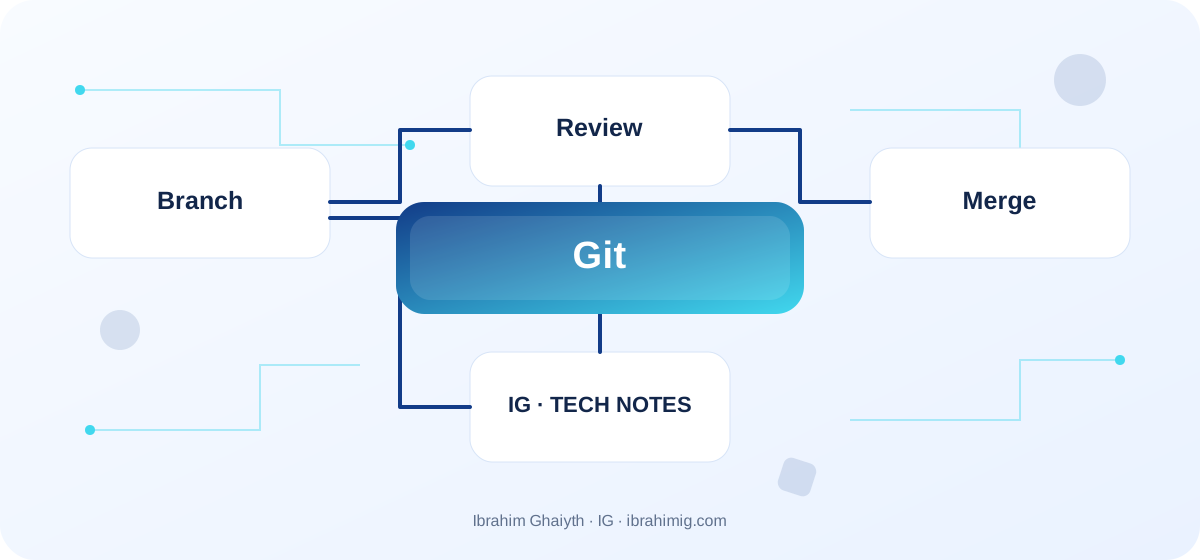
What you will take away from the article
- Short-term branches for one task.
- Commit messages that clearly describe the change.
- Review focused on correctness, impact, and testing.
Start from a recent version
Update the branch you depend on and ensure the working tree is clean. Create a branch with a name that describes the task, such as feature/article-search or fix/session-expiry. Do not combine unrelated fixes in one branch; this complicates review and rollback. When a wide refactor appears during the addition of a feature, separate the changes whenever possible so that each part can be inspected and understood independently.
Write understandable commits
The commit message should describe the change, not just a general state like “updated”. Review git diff before adding and check for unintended files, keys, and temporary build files. Use .gitignore for files that should not be tracked, but remember that ignoring a file after adding it does not remove it from the repository's history. git add -p is useful when you want to separate different changes within a single file.
Open a Pull Request with clear context
Explain the problem, the solution, what changed, and how it was tested, and attach images when changing the interface. Keep the PR as small as possible, but do not divide the work into parts that cannot be understood on their own. The reviewer should know the risks and important design decisions without having to infer them from the diff alone; clarifying the context speeds up the review and reduces repeated changes.
Review and merge safely
Review correctness, behavior, security, performance, and testing before discussing stylistic issues that the formatter can resolve. Make comments specific and respectful, and separate between a flaw that prevents merging and a non-mandatory suggestion. Resolve conflicts by understanding the changes, run tests, and monitor the publication result. Commands that change the shared history, such as force push, require coordination and understanding of how to recover.
Simplified daily workflow sequence
git switch main
git pull --ff-only
git switch -c feature/article-search
git diff
git add -p
git commit -m "Add article search filters"
git push -u origin feature/article-search
Make the Git log understandable to someone who did not write the change
A good commit describes a single, related change and answers the question: what changed? The reason for the change and its context may need to be described in the Pull Request or a link to a ticket. Avoid a general message like updates, as it does not help understand the history or investigate a rollback.
Using git add -p allows choosing parts of files instead of including all modifications without review. Before committing, review git diff --staged and ensure that no secrets, large generated files, or changes unrelated to the task are added. If the change contains more than one independent idea, separate them whenever possible to facilitate review and rollback.
Detailed case study: from presentation to root cause
The practical case here is: two branches intersect in changing the way a price is calculated, and the textual merge succeeds but the business result changes incorrectly. It's not enough to fix the apparent symptom; we need to draw the data path or request from its beginning to the result, and know where the difference originated. Start by logging what happened, what was expected to happen, and the step that can be proven by measurement, log, or test. Then, change one clear factor and redo the same scenario to verify that the root cause is addressed. If several components changed at once, it will be difficult to know which one made the difference.
Link the case result to the article's principle: start from a recent version and write understandable commits. These two concepts determine what should be checked first and what can be postponed. Also, record cases that were not tested, so that the success of one scenario does not become a claim that the entire system is problem-free.
Choosing branch size and merge method
A small branch reduces the number of files and behaviors changing in the review, so the reviewer can understand the risk and test the path better. But do not turn every small modification into dozens of unrelated branches; the goal is to reduce the area of change and make the merge continuous. Agree with the team on a clear strategy: merge commit as is, squash, or reorder history, and do not make every Pull Request a different experiment without reason.
Clean history is not more important than maintaining correct work. Before rewriting the history of a shared branch or using force push, understand who depends on it and follow the team's policy. And if you resolve a merge conflict, review the resulting logic, not just the command's success; sometimes Git resolves the textual conflict but the program's semantics remain incorrect.
From example to implementation in a real project
Start from the example code presented in the article: «simplified daily workflow sequence». Do not transfer it literally to production before determining its inputs, outputs, and assumptions. Ask what happens when a value is missing, or unexpected data arrives, or the request is repeated, or an external dependency is delayed. Then implement a small version within an independent branch and add a test for the basic case and another for a failure case.
Use these steps as a starting point: update the main branch. Then create a branch for one task. Then review diff and run tests. Make each step reviewable, and do not combine real project settings and secrets within an example. If your environment differs from the example, document the difference and modify the implementation based on official documentation rather than copying the solution without understanding.
Resolving merge conflicts without guessing
When a conflict occurs, open the file and identify the intended change from each branch. Do not automatically choose the «right» or «left» version if the desired change is to merge logic from both sides. Read the context and test the function after removing conflict markers, then review git diff before proceeding.
If the branch is too far from main, bring changes regularly during work instead of waiting for the last moment. Use a local branch for experimentation if you are not sure about the effect of rebase or reset, and do not use destructive commands before ensuring there is a backup or a commit that saves the state.
Systematic diagnosis style when failing
When the solution does not work, do not start by adding another condition before identifying the failure indicator. Record the input, the expected result, the actual result, and the message or measurement that supports the conclusion. One of the common mistakes in this topic is general commit messages that do not clarify the change. Treat this point as a hypothesis to be tested, not as a preconceived diagnosis; the problem's cause might be in a neighboring layer or in an incorrect assumption in the test.
Divide the system into clear boundaries: inputs, processing, external dependency, and result. Test each boundary separately as much as possible, then implement an integrated scenario. If you fix the problem, add a test that prevents its return or an operational note that helps detect it early. The goal is for diagnosis to be repeatable by another team member, not to remain tied to the memory of the person who discovered the fault.
Review as a quality and security officer
The Pull Request review should answer the problem the change addresses, the options the developer chose, how it was tested, and potential risks. Make the description mention images or a screenshot of the interface if the user experience changes, and steps to reproduce if it's a bug fix. Review is not a style competition; focus on correctness, security, clarity, compatibility, and testability.
Do not put real credentials in a commit, even if the repository is private. If a secret leaks, remove it from use and rotate it immediately; deleting the line from the last commit does not necessarily remove it from the history or published copies. Add automatic checks for style and testing, but do not make them a substitute for understanding the impact of the change.
Advanced considerations before adopting a solution
In a real project, a solution is not evaluated based on the success of the happy case alone. Review behavior under load, failure cases, future changes, and relevant security boundaries. It's important here to maintain an understandable history, not to rewrite the history of a shared branch without coordination, and to review the logic after resolving conflicts. Do not treat these points as a later addendum; a design decision may be difficult to change when data accumulates or multiple clients depend on it.
Define acceptance tests or metrics before merging, and clearly document the solution's boundaries. A solution might be suitable for a small site but may need a queue, cache, or stricter architecture as usage grows. Don't add premature complexity without evidence, but don't ignore clear signs that requirements exceed the simple version. A good decision balances current simplicity with the expected cost of change and maintains system clarity for the team.
Measure Workflow Quality
Monitor review wait time, Pull Request size, and the number of post-merge fixes, ensuring numbers don't become formal incentives. The goal is not to merge the most requests, but to reduce the time it takes for a meaningful and safe change to reach the user.
After merging a feature, ensure the correct ticket is closed and documentation is updated as needed. Write a brief note on what helped or hindered the team, such as ambiguous requirements or difficult-to-run tests. Continuous improvement of the Git workflow comes from removing real friction, not imposing formal rules on everyone.
Practical Application and Acceptance Criteria
Try this exercise on a test project or separate branch: create a small branch and Pull Request with a clear description, then resolve a conflict and run tests. Write the expected outcome before implementation, record what actually happened, and fix the difference if it appears. Also, safely try an edge case or intentional failure. Do not use real data or a production system to cause a test failure.
Consider the task complete when re-test steps are documented, testing proves basic behavior and failure state, no secrets or sensitive information are in the log, and another developer can understand the solution's reason. If this isn't achieved, what's needed isn't adding more code directly; rephrase the problem and clarify the incorrect assumption. This approach makes the article a starting point for a technical practice, not just theoretical reading.
Frequently Asked Questions About Git and Teamwork
Should each task have its own branch? In collaborative projects, it often helps to isolate changes and reviews, but follow the team's flow and task size.
Is rebase always better than merge? No; each has an impact on history and collaboration, and what's important is applying a clear policy and not rewriting a shared branch without coordination.
What makes a good Pull Request? Limited scope, clear reason, repeatable tests, and a description of risks.
Practical Implementation Plan
- Update the base branch.
- Create a branch for one task.
- Review the diff and run tests.
- Open a PR that explains the reason and impact.
- Merge after review and monitor deployment.
Common Mistakes to Watch Out For
- Generic commit messages that don't clarify the change.
- Including keys or local files in the repository.
- Approving large PRs without testing their impact.
Conclusion
A good Git workflow makes changes clear, reviewable, and retrievable. Choose a simple policy, minimize change size, and make tests and review part of the merge process.