When you type a website's address in the browser, the text doesn't simply go to one server and then the page returns. It involves resolving the domain name, creating a connection, negotiating encryption when using HTTPS, and then sending an HTTP request and fetching additional resources. Understanding this journey makes diagnosing slowness, connectivity, and security issues more accurate.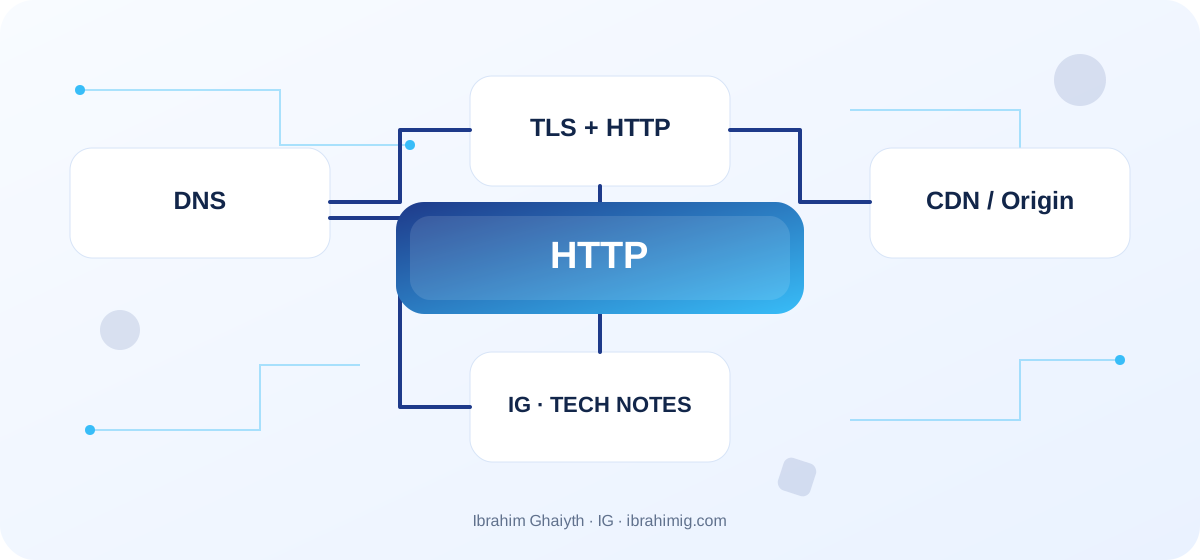
What you will take away from the article
- Understanding the difference between domain name, IP address, and HTTP.
- The role of TLS in protecting the connection.
- The impact of CDN and caching on the request path.
DNS: Converting the name to a destination
DNS links names like example.com to records that help the client find the destination. The answer might be stored in the browser, operating system, or intermediate resolver, so not every opening means a new DNS query. There are A, AAAA, CNAME, and other records, each with its meaning. TTL affects how long the answer is kept; thus, DNS changes might not appear immediately on all sites due to caching and varying resolution paths.
Connection and TLS
After resolving the name, the client establishes the appropriate connection. In HTTPS, TLS protects data during transfer and helps verify the server's identity through the certificate and trust chain. However, it does not guarantee that the application itself is secure or that data is encrypted in every internal system after arrival. Renew certificates and monitor their validity; do not overlook certificate warnings as they might indicate expiration, mismatched names, or incorrect setup.
HTTP Request and Response
An HTTP request includes a method like GET or POST, an address, headers, and may include a body. The server responds with a status code, headers, and content. Headers like Cache-Control, Content-Type, and ETag help interpret caching, content type, and revalidation. Do not assume every request needs a new TCP connection; transport details vary between HTTP versions, while the request-response model remains a concept understandable to developers in many uses.
CDN and Diagnosing Slowness
CDNs serve some resources from points closer to the user instead of referring to the original server every time, but they need a correct cache policy. Caching a user-specific page in a general cache is a security error, and caching a variable resource by its name might expose an old version. When diagnosing, separate DNS failure from connection, certificate, HTTP, and application logic issues. Measure the time for each stage, and document where TLS and CDN terminate and which server owns the truth.
Initial Commands for Diagnostics
nslookup example.com

curl -I https://example.com

curl -v https://example.com
Tracing the Journey from Name to Page Response
When a user types a domain name, the system might need to resolve DNS to get to an IP address, then establish an appropriate connection, complete TLS negotiation when using HTTPS, and then send an HTTP request and receive the response. Afterward, the browser might download CSS, JavaScript files, and images and make additional requests. However, these steps are not repeated in the same full order for every request; there is DNS caching, reused connections, HTTP memory, and CDN layers.
Therefore, do not interpret "the site is slow" as a single network issue. Distinguish between delays in name resolution, connection establishment, server response time, asset download, and JavaScript execution after download. Each layer has different measurement and repair tools.
Detailed Case Study: From Symptom to Root Cause
The practical case here is: a domain opens from one network but not from another, or a blank page appears even though the HTML request was successful. It's not enough to fix the apparent symptom; you need to draw the data or request path from its beginning to the outcome and identify where the difference originated. Start by recording what happened, what was expected to happen, and the step that can be proven by measurement, log, or test. Then, change one clear factor and redo the scenario to verify that the root cause was addressed. If several components changed at once, it will be hard to know which one made the difference.
Link the case outcome to the article's principle: DNS, connection, and TLS. These concepts define what should be checked first and what can be postponed. Also, document untested cases so that the success of one scenario does not turn into a claim that the whole system is problem-free.
What TLS and CDN Add
TLS protects the confidentiality and integrity of the connection and helps prove the server's identity through the certificate and trust chain. Having HTTPS alone does not mean the application is free of vulnerabilities, but it's a crucial condition for secure data transfer. Follow certificate validity, renewal settings, and compatibility, and verify that sensitive resources are not loaded over mixed HTTP.
CDNs distribute some content near the user, reducing the load on the original server, but their benefit depends on the content's cacheability and rules. If a user-specific response is cached generally, it might turn a performance feature into a data leak. Clearly define what can be cached, what must go to the origin, and when the old version should be invalidated.
From Example to Implementation in a Real Project
Start with the example code presented in the article: "Initial commands for diagnostics." Do not move it literally to production before defining its inputs, outputs, and assumptions. Ask what happens when a value is missing, or unexpected data arrives, or a request is repeated, or an external dependency is delayed. Then, implement a small version within an independent branch and add a test for the basic case and another for a failure case.
Use these steps as a beginning: verify DNS and domain records. Then, ensure the connection and TLS certificate are valid. Then, examine the HTTP code, headers, and response time. Make each step reviewable, and do not combine project settings and secrets within an educational example. If your environment differs from the example, document the difference and adjust the implementation based on official documentation rather than copying the solution without understanding.
Use Tools to Identify the Slow Layer
Commands like nslookup help check name resolution, and curl -I displays response headers, while curl -v allows examining connection and negotiation details at various levels. In the browser, review network timings for each resource, HTTP code, source address, and cache policies. Compare from a second network or different geographical point when possible.
Do not conclude that DNS is the cause just because the issue appeared when opening the site; the response might be slow on the server or a JavaScript file might prevent the interface from interacting. Document the time, resource address, testing conditions, and avoid sharing connection logs that contain personal data or secret codes.
Systematic Diagnosis Approach Upon Failure
When the solution does not work, do not start by adding another condition before identifying the failure indicator. Record the input, expected outcome, actual outcome, and the message or measurement that supports the conclusion. A common mistake in this topic is considering DNS or CDN the cause of all slowness. Treat this point as a hypothesis for examination, not a preconceived diagnosis; the problem cause might be in an adjacent layer or in an incorrect assumption during testing.
Divide the system into clear boundaries: inputs, processing, external dependency, and outcome. Test each boundary as much as possible, then implement an integrated scenario. If you fix the issue, add a test that prevents its return or an operational note that helps in early detection. The goal is to make diagnosis repeatable by another team member, not to keep it tied to the memory of the person who discovered the fault.
Caching, Renewal, and Errors
Cached DNS and HTTP data can solve many issues, but they also make changes sometimes not appear immediately. Understand the TTL in DNS, cache duration for HTTP headers, CDN rules, and connection reuse behavior. When changing a resource, changing the file name or resource version might be more reliable than depending on an unclear cache invalidation.
Monitor certificate validity and renewal processes, the presence of links to mixed resources, 4xx and 5xx responses, and cache hit rate. Plan a clear handling of the original source failure: can CDN serve a stale version under certain conditions? What content cannot be served old? These are product and security decisions as much as performance decisions.
Advanced Considerations Before Adopting the Solution
Commands like nslookup help check DNS resolution, and curl -I displays response headers, while curl -v allows examining connection and negotiation details at various levels. In the browser, review network timings for each resource, HTTP code, source address, and cache policies. Compare from a second network or different geographical point when possible.
Do not conclude that DNS is the cause just because the issue appeared when opening the site; the response might be slow on the server or a JavaScript file might prevent the interface from interacting. Document the time, resource address, testing conditions, and avoid sharing connection logs that contain personal data or secret codes.
Methodical Diagnosis Approach Upon Failure
When the solution does not work, do not start by adding another condition before identifying the failure indicator. Record the input, expected outcome, actual outcome, and the message or measurement that supports the conclusion. A common mistake in this topic is considering DNS or CDN the cause of all slowness. Treat this point as a hypothesis for examination, not a preconceived diagnosis; the problem cause might be in an adjacent layer or in an incorrect assumption during testing.
Divide the system into clear boundaries: inputs, processing, external dependency, and outcome. Test each boundary as much as possible, then implement an integrated scenario. If you fix the issue, add a test that prevents its return or an operational note that helps in early detection. The goal is to make diagnosis repeatable by another team member, not to keep it tied to the memory of the person who discovered the fault.
Caching, Renewal, and Errors
Cached DNS and HTTP data can solve many issues, but they also make changes sometimes not appear immediately. Understand the TTL in DNS, cache duration for HTTP headers, CDN rules, and connection reuse behavior. When changing a resource, changing the file name or resource version might be more reliable than depending on an unclear cache invalidation.
Monitor certificate validity and renewal processes, the presence of links to mixed resources, 4xx and 5xx responses, and cache hit rate. Plan a clear handling of the original source failure: can CDN serve a stale version under certain conditions? What content cannot be served old? These are product and security decisions as much as performance decisions.
Advanced Considerations Before Solution Adoption
Use tools and commands to diagnose issues systematically, focusing on understanding the flow from the user's request to the server's response, including DNS resolution, connection establishment, TLS negotiation, and HTTP request and response. Document findings and adjust configurations based on official documentation and best practices for security, performance, and reliability.
In a real project, the solution is not evaluated based on the success of the happy case only. Review the behavior under load, failure cases, future changes, and relevant security boundaries. It is important here to check DNS, TLS, HTTP, and cache each separately, and not share cookies or authorization headers in diagnostic logs. Do not treat these points as a later addendum; the design decision may be difficult to change when data accumulates or multiple clients depend on it.
Define metrics or acceptance tests before merging, and clearly document the solution's boundaries. The solution may be suitable for a small site but may need a queue, cache, or more stringent architecture as usage grows. Do not add unnecessary complexity without evidence, but do not ignore a clear indication that the requirements exceed the simple version. A good decision balances current simplicity with the expected cost of change and maintains system clarity for the team.
Fixed Diagnostic Checklist for the Team
Gather the URL, test time, client network, DNS result, response header, connection and response time, and any TLS error. Compare this data with a measurement from another device before changing network or server settings. These steps prevent modifying DNS or CDN based on guesswork.
After fixing, retest from outside the developer's network and from more than one path when possible, and ensure that the certificate, headers, and files are available as expected. Document the result in a simple runbook so that someone else can diagnose the case without relying on memory from solving the problem the first time.
Practical Application and Acceptance Criteria
Try this exercise on a test project or separate branch: gather DNS result, HTTP headers, connection time, and TLS for a slow resource and compare it with a second measurement. Write the expected result before implementation, record what actually happened, and then fix the difference if it appears. Also, try a boundary case or intentional failure in a safe manner. Do not use real data or a production system to cause experimental failure.
Consider the task complete when the steps for retesting are documented, the test proves basic behavior and failure case, there are no secrets or sensitive information in the log, and another developer can understand the reason for the solution. If this is not achieved, what is required is not to add more code directly; rephrase the problem and clarify the incorrect assumption. This approach makes the article a starting point for technical practice, not just theoretical reading.
Frequently Asked Questions about DNS, TLS, and HTTP
Does DNS convert the site name to an HTML page? No; it helps find the network destination, then the connection and HTTP request follow.
Does HTTPS ensure that the site is completely secure? No; it protects the transmission but does not fix application vulnerabilities.
Does CDN accelerate everything? It depends on the user's location, content type, cache rules, and original server time.
Practical Implementation Plan
- Verify DNS and domain records.
- Ensure connection and TLS certificate validity.
- Examine HTTP code, headers, and response time.
- Isolate CDN resources from the original server.
- Record measurements to identify the layer of delay.
Common Mistakes to Watch Out For
- Considering DNS or CDN the cause of all slowness.
- Storing personal data in a shared cache.
- Bypassing TLS warnings instead of addressing the cause.
Conclusion
Web diagnostics are easier when you see the entire journey: DNS, connection, TLS, HTTP, cache, and then the application. Isolate layers in measurement, adjust storage according to content sensitivity, and treat encryption and certificates as a basic part of operation.