A Node.js server can serve many connections because asynchronous operations allow it to continue with other tasks while waiting for the network or disk. However, this does not make every code fast; heavy synchronous computations can disable the processing of many requests. Understanding the difference between I/O and CPU-bound work is essential for designing a stable server.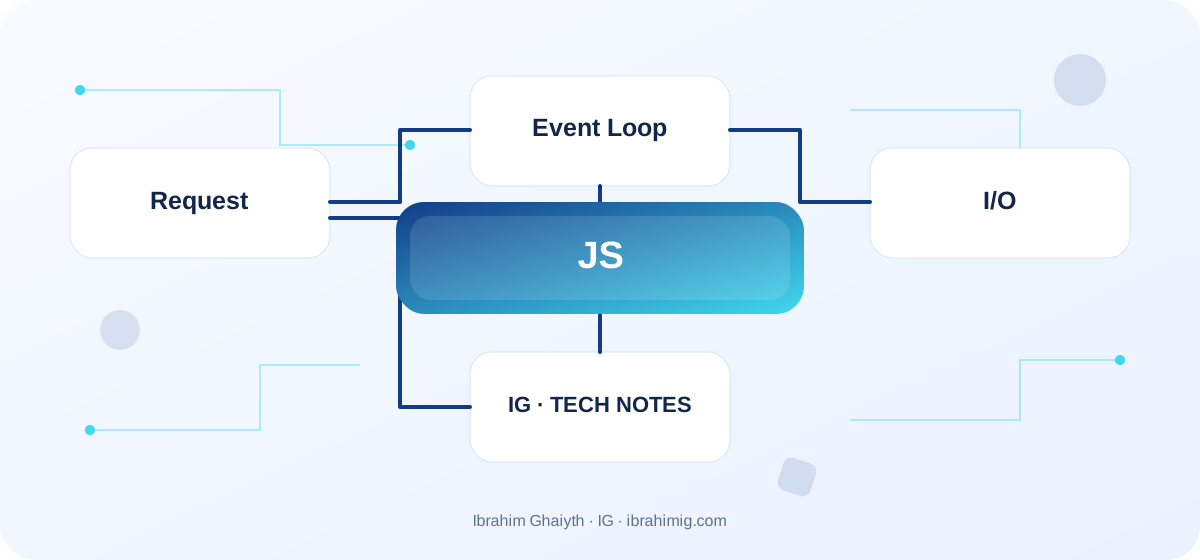
What You Will Take Away from This Article
- Not confusing async with parallel computation.
- Avoiding long loops that block the main thread.
- Measuring latency and event loop delay under representative load.
How the Event Loop Works
The event loop deals with the stages of processing network events, timers, and more. When an I/O operation is waiting, Node.js can continue with other work instead of suspending execution entirely. When the operation completes, its result becomes available via a callback or Promise. The details of the stages change with versions, so rely on documented behavior rather than assuming a precise order for every timer and promise.
Async Does Not Mean Parallel Computation
async and await organize the handling of Promises, but they do not automatically move heavy computation to another thread. An event loop that calculates millions of values inside a handler can make other requests wait. Use worker threads or task division or a separate service when there are intensive CPU computations. When running several independent I/O operations, they can be executed in parallel with calculated limits instead of an unnecessary waiting chain.
Timeouts, Errors, and Flow
Catch Promise errors at an appropriate level, and do not return false success upon failure. Set timeouts and cancellations where supported by the interface so that unnecessary operations do not consume resources. Use streams for large files instead of loading them all into memory, and make request handlers as short as possible. Do not launch thousands of concurrent requests without a limit; this may drain the database or an external interface.
Monitor Delay Under Load
Average response time may hide large spikes; monitor p95 and p99 and error rates and memory and CPU and event loop delay. Test with data sizes similar to production, and set limits for database connections and queues and timeouts and the number of workers. Moving a task to a queue adds execution and retry and success/failure state, so choose a solution based on measurement and operational cost.
Running Independent I/O Operations with Timeout
async function loadDashboard(userId) {
  const signal = AbortSignal.timeout(4000);
  const [profile, notices] = await Promise.all([
    fetchProfile(userId, { signal }),
    fetchNotifications(userId, { signal })
  ]);
  return { profile, notices };
}

// Do not launch an unlimited number of tasks in this way.
Separate Network Waiting from Heavy Computations
Using Promise.all for two independent I/O operations allows waiting for them together instead of executing each request sequentially, but it does not make CPU-dependent computations run in parallel. If a function analyzes large images or performs intensive encryption inside the main JavaScript thread, it may delay other requests until the work is finished.
Set a timeout for the connection, handle errors for each operation, and consider whether to stop other operations if a critical part fails. In an interface or service waiting for external services, there must be a defined behavior for failure: should we retry? Should we display partial data? Should we fail the request? Leaving promises without handling may produce unhandled rejection or requests hanging for a long time.
Detailed Case Study: From Symptom to Root Cause
The practical case here is: a long computational process in one request delays the rest of Node.js requests even though most of them are waiting for external services. It is not enough to fix the apparent symptom; we need to draw the data or request path from its beginning to the result, and find out where the difference originated. Start by logging what happened, what is expected to happen, and the step that can be proven by measurement or log or test. After that, change one clear factor, then redo the same scenario to check that the root cause is fixed. If several components changed at once, it will be difficult to know which one made the difference.
Link the case result to the article's principle: how the event loop works? and async does not mean parallel computation. These two concepts determine what should be checked first and what can be postponed. Also, log cases that were not tested, so that the success of one scenario does not turn into a claim that the whole system is problem-free.
Synchronization Does Not Mean Parallelism
async/await allows writing non-blocking flow in a readable way, but it does not automatically move computational operations to a separate thread. I/O operations can usually be waited for without reserving the thread in the same way that a long synchronous computation reserves it. Intensive computational work may need Worker Threads or a separate service depending on the nature of the load.
Avoid launching an unlimited number of concurrent operations, as this may drain connections or memory or external API limits. Use a limit for parallelism and a configured connection pool, and set timeouts for each stage. Also, understand that Promise.all fails when one of the elements is rejected; if partial results are acceptable, a different handling like allSettled with a clear policy may be more suitable.
From Example to Implementation in a Real Project
Start from the example code presented in the article: "running independent I/O operations with timeout". Do not move it literally to production before you determine its inputs and outputs and assumptions. Ask what happens when a value is missing, or unexpected data arrives, or the request is repeated, or an external dependency is delayed. After that, implement a small version inside a separate branch and add a test for the basic case and another for a failure case.
Use these steps as a beginning: determine if the work is I/O or CPU-bound. Then keep HTTP handlers short and with timeouts. Then set limits for parallelism and retry. Make each step reviewable, and do not combine project settings and secrets inside an example. If your environment differs from the example, document the difference and modify the implementation based on official documentation rather than copying the solution without understanding.
Diagnosing Event Loop Lag Under Load
If the response time of requests that should not be heavy increases, check event loop delay and the size of concurrent tasks and large JSON operations and data processors. Test under realistic load; a single request test does not reveal the effect of dozens of intertwined requests.
If memory increases continuously, look for collections that hold references to no longer needed items, or work queues that grow faster than their processing, or complete responses that are kept without limits. Log operation durations and timeouts and rejection rates, but do not log personal data from every request. When identifying the cause, change the bottleneck itself and then redo the full flow test.
Systematic Diagnosis Approach Upon Failure
When the solution does not work, do not start by adding another condition before determining the evidence of failure. Record the input, the expected result, the actual result, and the message or measurement that supports the conclusion. One of the repeated mistakes in this topic is: assuming that async moves computation to another thread. Treat this point as a hypothesis for examination, not as a preconceived diagnosis; the cause of the problem may be in a neighboring layer or in an incorrect assumption in testing.
Divide the system into clear boundaries: inputs, processing, external dependency, and result. Test each boundary separately as much as possible, then implement an integrated scenario. If you fix the problem, add a test that prevents its return or an operational note that helps in its early detection. The goal is to make diagnosis repeatable by another team member, not to keep it linked to the memory of the person who discovered the fault.
Timeouts, Cancellation, and Retry
Network operations must have a timeout suitable for the service goal. A timeout that is too short causes false failure, and one that is too long drains resources and leaves the user waiting. When retrying, use a time backoff and a maximum limit, and only retry operations that are idempotent or designed with an idempotency key.
Pass a cancellation signal when the client leaves or the timeout ends if the library supports it. Do not forget that canceling the client's wait does not guarantee stopping the work at the external service, so you also need limits on queues and connections. Monitor event loop delay and database wait times and connection counts to distinguish the cause of congestion.
Advanced Considerations Before Adopting a Solution
Before adopting a solution, consider the trade-offs between different approaches and the potential impact on your system's performance and scalability. Evaluate the complexity of the solution and the potential maintenance costs. Consider the potential risks and mitigations, and prioritize the most critical aspects of the system. By taking a systematic and thorough approach to evaluating and implementing a solution, you can ensure that your system is reliable, efficient, and scalable.
In a real project, a solution is not evaluated on the success of the happy case alone. Review behavior under load, failure cases, future changes, and relevant security boundaries. It is crucial here to define timeouts and concurrency limits and retry behavior, and not to pass pressure to the database or memory without measurement. Do not treat these points as a later add-on; a design decision may be difficult to change when data accumulates or multiple clients depend on it.
Define metrics or acceptance tests before merging, and document the solution's limits clearly. A solution might be suitable for a small site but need a queue, cache, or stricter architecture as usage grows. Do not add premature complexity without evidence, but do not ignore a clear sign that requirements exceed the simple version. A good decision balances current simplicity with the expected cost of change and maintains system clarity for the team.
Server Testing Under Load
Test slow and concurrent requests, external service errors, and connection drops, not just the happy path. Record response time at the 99th percentile, error rate, active processes, event loop delay, and memory consumption. The average alone may hide a small percentage of requests that are significantly delayed.
Define expected behavior when the service is under pressure: quick rejection with an appropriate message might be better than accepting work that cannot be completed. Do not increase the number of workers or connections without measurement, as passing pressure to the database may make the problem worse instead of solving it.
Practical Application and Acceptance Criteria
Try this exercise on a test project or a separate branch: compare the response time of a service under load before and after adding timeouts and concurrency limits. Write the expected outcome before implementation, record what actually happened, and fix the difference if it appears. Also, try a boundary case or a safe, intentional failure. Do not use real data or a production system to cause a test failure.
Consider the task complete when retry steps are documented, testing proves basic and failure behavior, there are no secrets or sensitive information in the log, and another developer can understand the reason for the solution. If this is not achieved, what is required is not to add more code directly; rephrase the problem and clarify the incorrect assumption. This approach makes the article a starting point for a technical practice, not just a theoretical read.
Frequently Asked Questions About Node.js
Does async make heavy computation non-blocking? No; synchronous computation still reserves the JavaScript thread until it finishes.
When do I use Worker Threads? When there is computationally suitable work to separate, after measuring the cost of transfer and synchronization.
Do I retry all failed requests? No; temporary failure must be distinguished from permanent failure, and the safety of repeating the process must be verified.
Practical Implementation Plan
- Determine if the work is I/O or CPU-bound.
- Keep HTTP handlers short and timed out.
- Set limits for concurrency and retries.
- Monitor p95/p99 and event loop delay.
- Use streams, workers, or queues when needed.
Common Mistakes to Watch Out For
- Assuming
asynctransfers computation to another thread. - Using
Promise.allon thousands of tasks without limits. - Leaving external requests without timeout or failure policy.
Conclusion
Node.js performs well when it leverages non-blocking I/O and keeps the event loop available. Separate heavy computational work, define concurrency and timeouts, and monitor delay instead of relying on a single average.