Caching reduces response time and resource cost, but it adds a difficult question: when does the cached version become outdated? Caching can occur in the browser, CDN, or application, and each layer has different boundaries. A good plan determines what is cached, who updates it, and how copies are invalidated when the truth changes.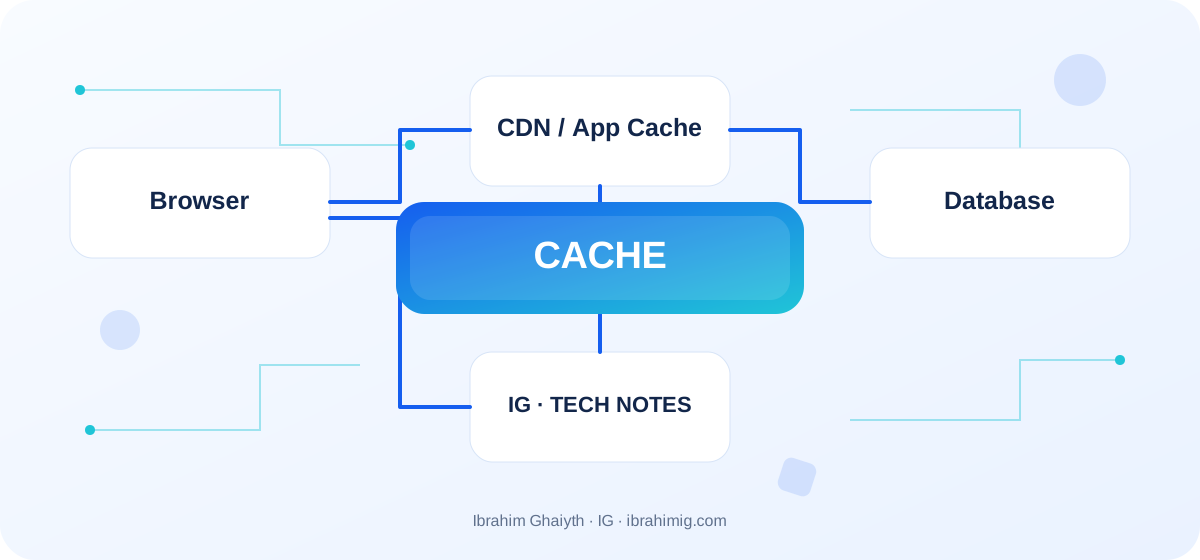
What you will take away from the article
- Choosing cacheable resources.
- Setting TTL, cache keys, and invalidation.
- Preventing private data leaks through public keys.
Define the goal before adding cache
Start with the most frequent and costly paths, then identify the data that does not change often or can tolerate limited delay. Static files with version-inclusive names are suitable for long-term caching, while account data may need a policy that prevents shared caching. Do not add Redis just because it is popular; every new layer adds key management, expiration, invalidation, and consistency risks.
Understand HTTP Cache
Cache-Control and ETag headers control caching and revalidation. max-age specifies the version's validity period, no-store requests that it not be cached, while no-cache allows caching but requests revalidation before use. Do not put public on a response that carries account data. Filenames associated with content fingerprints allow long caching, as changing the content produces a new name.
Application keys and Redis
An application may cache the result of an expensive query, but the key must reflect all influencing factors such as user ID, language, permissions, and data version. An incomplete key may mix results of different users. Define TTL and an invalidation plan when updating the source and behavior when the cache fails. In cache-aside, the application fetches data from the source when the key is missing, then caches it, but it needs handling for synchronization and repeated filling.
Consistency and monitoring
When a hot key expires, many requests may simultaneously target the database, doubling the pressure. This can be reduced by combining concurrent requests, early renewal, or jittering the expiration. Define the acceptable delay; inventory data or permissions require more care than a general article. Monitor hits, misses, source time, memory, eviction, and errors, as the hit ratio alone does not prove that performance or data integrity has improved.
HTTP policy by resource type
# Static resource with a filename that changes when the content changes
Cache-Control: public, max-age=31536000, immutable

# Response containing sensitive account data
Cache-Control: private, no-store
Build a cache key from data that changes the result
If a page response depends on language, user role, and resource ID, the cache key must reflect these differences or the response should not be stored in a shared location at all. An incomplete key may return language or user data to another. Also, a long TTL may expose outdated data after a significant update, while a very short TTL reduces the value of caching and increases pressure on the source.
Write an explicit list of data that can be cached in the browser, data that can be cached in a shared cache, and data that must bypass the cache. It is not enough for a response to be GET to be general or secure for caching; content, permissions, and HTTP policy determine that.
Detailed case study: from symptom to root cause
The practical case here is: an old or user-associated cached version is displayed due to an inappropriate cache key or privacy policy. It is not enough to fix the apparent symptom; one must map the data path or request from its beginning to the result, and know where the difference originated. Start by logging what happened, what was expected to happen, and the step that can be proven by measurement, log, or test. Then change one clear factor and redo the same scenario to verify that the root cause was addressed. If several components changed at once, it will be difficult to know which one made a difference.
Link the case result to the article's principle: define the goal before adding cache and understand HTTP Cache. These two concepts determine what should be checked first and what can be postponed. Also, record the cases that were not tested, so that the success of one scenario does not turn into a claim that the entire system is problem-free.
Caching in the browser and server
HTTP Cache is suitable for reducing repeated downloads of resources and can use ETag or Last-Modified to check for changes in the resource without retransmitting it entirely. In a server application, Redis may alleviate repeated query pressure but adds another system that needs monitoring, invalidation, and memory management. Not all data is suitable for intermediate caching; fast-changing or personal content may need a different policy.
Use cache-aside when the application reads from the cache and then fetches from the source when the key is missing, but define what happens when the source fails or an unparseable version exists. The presence of a cache does not fix a poorly designed slow query; sometimes fixing the database is better than adding a new layer.
From example to implementation in a real project
Start from the example code presented in the article: "HTTP policy by resource type". Do not move it literally to production before determining its inputs, outputs, and assumptions. Ask what happens when a value is missing, or unexpected data arrives, or a request is repeated, or an external dependency is delayed. Then implement a small version within an independent branch and add a test for the basic case and another for a failure case.
Use these steps as a beginning: identify the source of slowness and repetition. Then classify content by privacy and change frequency. Then define the cache key, TTL, and invalidation policy. Make each step reviewable, and do not combine project settings and secrets within an educational example. If your environment differs from the example, document the difference and modify the implementation based on official documentation rather than copying the solution without understanding.
Invalidation and stampede problems
One of the most difficult aspects of caching is knowing when the version becomes invalid. For a simple system, sweeping the key when the source is updated may be enough, but the relationship between lists, counters, and details may make invalidation broad. Plan for what happens during simultaneous updates, when key invalidation fails, and when there are multiple versions of the application.
If thousands of keys expire at the same time, the source may be exposed to a stampede of requests. This can be mitigated by distributing expiration or using stale-while-revalidate or appropriate locking/synchronization, but choose the approach according to the need for consistency. Monitor hit and miss rates, source time, and memory; a high hit rate alone does not prove the quality of the results.
Systematic diagnosis approach when failing
When the solution does not work, do not start by adding another condition before identifying the failure indicator. Record the input, expected outcome, actual outcome, and message or measurement that supports the conclusion. One of the repeated mistakes in this topic is a key that does not include the user or affecting permission. Treat this point as a hypothesis for examination, not as a preconceived diagnosis; the cause of the problem may be in an adjacent layer or in an incorrect assumption during testing.
Divide the system into clear boundaries: inputs, processing, external dependency, and outcome. Test each boundary separately as much as possible, then implement an integrated scenario. If you fix the problem, add a test that prevents its return or an operational note that helps detect it early. The goal is for diagnosis to become repeatable by another team member, not to remain tied to the memory of the person who discovered the fault.
Privacy, consistency, and observability
First, determine the nature of the data: public, session-related, or sensitive. Do not use public with a personal response, and set private or no-store where the security model and browser suit. Review Vary when the response differs according to a request header, but avoid expanding it arbitrarily so that the number of cached copies does not swell.
Define an appropriate SLO for data freshness, not just speed. Some reading pages tolerate a minute-old version, and some financial cases do not tolerate that. Document the freshness of each resource, how cache is invalidated, whether a stale version can be delivered when the source fails, and who decides this behavior.
Advanced considerations before adopting the solution
One of the most difficult aspects of caching is knowing when the version becomes invalid. Plan for what happens during simultaneous updates, when key invalidation fails, and when there are multiple versions of the application. If thousands of keys expire at the same time, the source may be exposed to a stampede of requests. This can be mitigated by distributing expiration or using stale-while-revalidate or appropriate locking/synchronization, but choose the approach according to the need for consistency. Monitor hit and miss rates, source time, and memory; a high hit rate alone does not prove the quality of the results.
In a real project, the solution is not evaluated based on the success of the happy case alone. Review the behavior under load, failure cases, future changes, and relevant security boundaries. It is important here to determine what data can be stored, cache key, expiration time, and revocation method, and monitor the health of the results, not just speed. Do not treat these points as a later addendum; the design decision may be difficult to change when data accumulates or multiple clients depend on it.
Define metrics or acceptance tests before merging, and clearly document the limits of the solution. The solution may be suitable for a small site but may need a queue or cache or a more rigid structure when usage grows. Do not add unnecessary complexity without evidence, but do not ignore a clear indication that the requirements exceed the simple version. A good decision balances current simplicity with the expected cost of change and maintains system clarity for the team.
Gradual Cache Experiment Plan
Start with one resource or a specific read path, and compare the cache hit rate, response time, and number of source queries. Test data updates, key flushing, TTL expiration, and Redis disconnection. Compare correct results, not just speed, and ensure that users do not see each other's content.
Use a feature flag or gradual rollout if the cache effect is wide. Keep a path to return to the source in case of error, and determine whether cache failure should fail the request or allow slow continuation. This policy should be intentional rather than a spontaneous decision at the time of failure.
Practical Application and Acceptance Criteria
Try this exercise on a trial project or a separate branch: test a public resource and another private one between different users and verify cache headers. Write the expected outcome before implementation, record what actually happened, and then fix the differences if they appear. Also, try a boundary case or intentional failure in a safe manner. Do not use real data or a production system to cause experimental failure.
Consider the task complete when the steps to retry the experiment are documented, the test proves basic behavior and failure case, and there are no secrets or sensitive information in the log, and another developer can understand the reason for the solution. If this is not achieved, what is required is not to add more code directly; rephrase the problem and clarify the assumption that was not correct. This approach makes the article a starting point for technical practice, not just theoretical reading.
Frequently Asked Questions about Cache
Is increasing TTL always improving performance? It may reduce the load but increase data staleness.
Does no-cache mean no storage? No; it usually means revalidation before use, unlike no-store.
Is a high hit rate an indicator of success? Not alone; data validity, freshness, and impact on the source must be checked.
Practical Implementation Plan
- Identify the source of slowness and repetition.
- Classify content by privacy and change frequency.
- Determine cache key, TTL, and revocation policy.
- Plan for failure, synchronization, and old versions.
- Monitor time, hits/misses, and test data updates.
Common Mistakes to Watch Out For
- A key that does not include the user or affecting permission.
- Confusing no-cache and no-store.
- Adding cache without a revocation policy or monitoring.
Conclusion
Cache is useful when it reduces a specific cost with a clear policy for staleness. Define the key, duration, and revocation, protect private data, and then measure time and data health, not just hit ratio.